

Have you looked at your website analytics lately and spotted some new, strange visitors? You might be wondering: 🔍 Is Perplexity AI sending traffic to your blog? Here’s how to know for sure without guessing or wasting hours digging through confusing numbers.
Search is changing fast. People are not just typing words into Google anymore. They are asking AI answer engines to do the reading for them. When an AI tool like Perplexity answers a user, it lists its sources at the top or bottom of the answer. If a reader wants more details, they click that little link and land right on your post.
What Does Perplexity AI Traffic Actually Look Like?
Before we jump into your dashboard, let’s understand how Perplexity works.
When someone asks Perplexity a question, the tool scans the web in real time. It reads several web pages, pulls out the main facts, and writes a neat summary. Along with that summary, it drops numbered footnote badges and source cards.
When a user clicks one of those source cards, they visit your website just like someone clicking a link on Facebook or Twitter. That visit counts as referral traffic.
It does not count as regular organic Google search traffic. It shows up with its own name in your reports, assuming the user’s browser does not block the tracking data.
Why Google Search Console Won’t Show You Perplexity Clicks
A lot of bloggers make a common mistake right away. They open Google Search Console (GSC) and search for Perplexity data.
Here is the truth: Google Search Console only tracks Google.
GSC shows you clicks from:
It knows nothing about what happens inside Perplexity, Bing Chat, or other standalone AI tools. If 500 people click your link inside Perplexity today, Google Search Console will show zero of those clicks.
To find this data, you have to look inside your website analytics tool, like Google Analytics 4 (GA4), Plausible, or your web host logs.
Step 1: Find Perplexity Traffic in Google Analytics 4 (GA4)
Google Analytics 4 is where most bloggers will find their answer. Let’s look at the exact clicks to make inside your dashboard.
1. Open Your Traffic Acquisition Report
- Log in to your Google Analytics account.
- In the left menu, click on Reports.
- Click on Acquisition, then choose Traffic acquisition.
📌 Navigation Path:
Reports –> Acquisition –> Traffic acquisition.
2. Switch Your Primary Dimension
By default, GA4 usually groups visits into broad buckets like “Organic Search,” “Direct,” and “Referral.” We want to see the exact websites sending people.
- Look just above the table for the dropdown that says Session primary channel group.
- Click that dropdown and change it to Session source/medium.
3. Use the Search Bar to Filter for Perplexity
In the search box right above the table rows, type in:
perplexity
Hit Enter.
What You Might See:
If Perplexity has sent you visitors, you will see rows that look like this:
- perplexity.ai / referral
- android-app://com.perplexity.ai / referral (people using the Android phone app)
- ios-app://com.perplexity.ai / referral (people using the iPhone app)
- m.perplexity.ai / referral (mobile web browser users)
If you see numbers in the “Users” and “Sessions” columns next to these lines, congratulations! Perplexity is officially sending real people to your content.
Write your content here: What Happened When I Found Perplexity in My Own Stats
Write your content here. What Happened When I Found Perplexity in My Own Stats. Let me share a quick story from my own blog. Last month, I opened my analytics on a random Tuesday and saw 35 new visitors from perplexity.ai. I was honestly surprised because I had never shared my links on that platform. I opened Perplexity on my phone and typed in the exact question my blog post answers. Sure enough, my website was sitting right at the top as source link number two! People were reading the AI summary, clicking my link for the full details, and staying on my site to read the rest. That simple moment proved to me that this traffic is 100% real. You do not need a huge website to get cited—you just need to answer a simple question clearly.
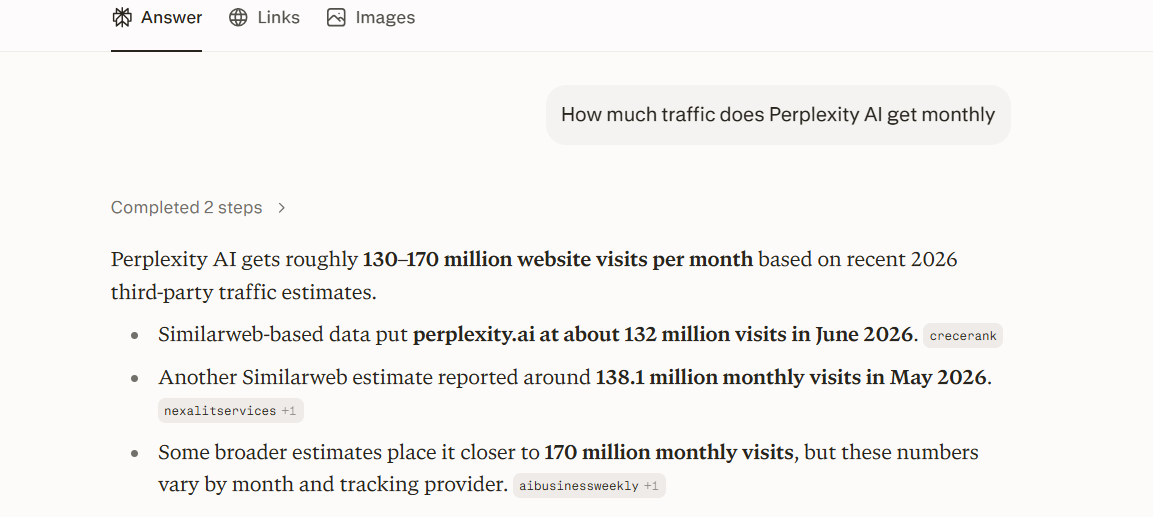
How Perplexity AI displays live web sources and clickable links
Step 2: See Which Exact Pages Perplexity Links To
Finding out that Perplexity knows your site exists is great. But finding out which specific blog posts it quotes is even better.
When you know which posts bring in visits, you can write more posts like them. You might even decide to turn those winning topics into products, similar to how creators make passive income with AI ebooks based on high-interest themes.
How to See Your Top Landing Pages from Perplexity in GA4:
- Stay on that same Traffic acquisition screen with perplexity filtered in the search bar.
- Look at the top of the table for a little blue plus sign (+) next to the “Session source/medium” column header.
- Click the + sign to add a secondary dimension.
- Type Landing page + query string or simply landing page in the box and click it.
Now your table will show two things side-by-side:
- The source (perplexity.ai / referral)
- The exact web page link the reader landed on first.
Take note of these URLs. These are the articles that AI search engines view as trustworthy, clear, and easy to cite.
Step 3: Check Server Access Logs for Perplexity Traffic
What if your analytics script was blocked by an ad-blocker? Or what if a reader used a super-private browser?
Sometimes, analytics tools miss a small portion of referral visits. If you want 100% raw proof, you can look at your server access logs through cPanel, Cloudflare, or your web hosting dashboard.
There are two different ways Perplexity interacts with your server logs:
1. The Perplexity Bot (The Crawler)
Before Perplexity can send you visitors, its robot has to read your site. In your logs, you will see hits from a User-Agent named PerplexityBot.
- This is not a human visitor.
- This is the AI scraping your text so it can answer questions later.
- Seeing PerplexityBot means your site is indexed and ready to be cited.
2. The Human Visitor Referrer
When a real person clicks your link in an answer, their browser sends a tiny piece of data called a Referer header.
In your log files, look for visitor lines where the HTTP Referer contains:
https://www.perplexity.ai/
When you see a standard browser (like Chrome or Safari on an iPhone) coming from that referer URL to one of your blog posts, that is a genuine human visit.
Why Is Perplexity Citing Your Blog? (And How to Get More Clicks)
If you notice traffic trickling in, you might wonder why the AI picked your site over a giant news brand.
AI search tools do not read web pages the way humans do. They look for fast, direct, factual answers. If you write clean guides using free AI tools or test hands-on setups, you have a huge edge over sites filled with fluffy marketing talk.
Here are the four big reasons Perplexity loves citing certain blogs:
1. You Give Direct Answers Near the Top
When a post answers the main question in the first two sentences, an AI scanner can grab that fact in a split second. If you hide the answer behind ten paragraphs of storytelling, the AI will move on to another source.
2. You Use Clean Bullet Points and Tables
AI engines love organized information. If you compare tools, list steps, or break down prices in a neat list, Perplexity can lift that list clean and credit your URL as the source.
If you write a detailed SEO blog post using AI, organizing it with simple lists makes it easy for answer engines to scrape and quote accurately.
3. You Cover Fresh, Low-Competition Questions
Big websites often ignore tiny, specific user questions. If you use smart methods like perplexity ai keyword research, you can spot fresh questions people are asking every day before big sites notice them. When someone asks Perplexity about that brand-new topic, your post might be the only clear answer online.
4. You Write with Strong E-E-A-T (Real Experience)
Perplexity tries hard to avoid citing pure junk. When you write about real tests—like sharing how you set up a faceless AI YouTube channel or showing real screenshots—the AI treats your content as an authoritative first-hand source.
Step 4: Check for Hidden Perplexity Traffic in “Direct” Visits
Yes. This happens quite often with mobile apps and modern privacy settings.
If someone is using the Perplexity mobile app on iOS or Android, depending on their phone settings, the app might open your link in an in-app browser without passing along the referral tag.
When that happens, GA4 does not know where the person came from. It simply labels the visit as:
(direct) / (none)
How to Spot “Hidden” AI Traffic:
Look at your sudden traffic spikes. Did an older post that normally gets 2 visits a week suddenly get 80 direct visits in two days?
- Check if any new backlinks are pointing to it.
- If there are no new social shares and no new backlinks, go to Perplexity.
- Type in the main topic of your post as a question.
- See if your blog shows up in the source cards at the top.
If your page is sitting in the top source slot, that mysterious bump in direct traffic is almost certainly coming from Perplexity users.
Comparing Perplexity Traffic to Other AI Platforms
Perplexity is not the only AI tool sending readers across the web. You might start seeing visits from several new AI sources as you test different ways to make money with ChatGPT and build out content hubs.
Here is a brief look at how different AI tools show up in your analytics table:
|
AI Platform |
How It Usually Shows Up in GA4 | Do Users Click Often? |
| Perplexity AI | perplexity.ai / referral | High (Sources are always front and centre) |
| ChatGPT (Search GPT) | chatgpt.com / referral or direct | Medium to High (Growing steadily) |
| Microsoft Copilot | copilot.microsoft.com / referral | Medium (Often blends with Bing search) |
| Claude | Rarely sends direct clicks |
Very Low (Focuses mainly on text answers) |
Notice how Perplexity stands out? Its whole design is built around showing source links. That makes it one of the most publisher-friendly AI search engines online today.
Step 5: Set Up a Custom Alert for Perplexity Traffic in GA4
You do not want to check your analytics manually every single morning. You can set up a simple alert inside GA4 or look at a saved custom exploration so you know the moment your visits pick up.
Creating a Custom Exploration in GA4:
- Open GA4 and click on Explore in the left sidebar.
- Click on a Blank exploration.
- In the Dimensions column, click the plus sign and import:
- Session source/medium
- Landing page + query string
- Date
- In the Metrics column, click the plus sign and import:
- Sessions
- Active users
- Engagement rate
- Drag Landing page into the Rows box.
- Drag Sessions and Engagement rate into the Values box.
- Scroll down to Filters, set a filter where Session source/medium contains perplexity, and click Apply.
Save this report as “Perplexity Referral Traffic.” Now, whenever you want to check your progress, it is just one click away.
What to Do When You Start Getting Clicks from Perplexity
Getting cited is great, but visits alone do not pay the bills. If you want to use this traffic to become a millionaire using AI over time, you need a plan for what happens after a reader lands on your page.
People coming from AI search engines want answers fast. They are usually smart, tech-friendly, and looking for solutions.
Here is how to keep them on your site:
1. Add Helpful Internal Links
When a reader lands on your post from a Perplexity link, they only read the piece they needed. Give them clear, clickable links to related guides. For instance, if they land on a tech post, link them over to your walkthrough on YouTube automation with AI or your list of the best AI prompts so they stay on your site longer.
2. Put an Email Signup Box Near the Top
Do not wait until the very bottom of a 3,000-word post to ask for an email. Add a clean, simple box offering a free checklist, a prompt swipe file, or a weekly tip sheet. If they like your clear answer, they will happily subscribe.
3. Make Sure Your Page Loads Instantly
AI users click links to verify facts quickly. If your site takes seven seconds to load with five giant popups blocking the screen, they will hit the back button before the first sentence appears. Keep your layout light and clean.
Tracking AI Tools and Assistants in Your Daily Workflow
Keeping an eye on new tech helps you stay ahead of normal search trends. As new workspace helpers like Claude Cowork become common in everyday offices, more people will use conversational tools to discover websites, tools, and blog posts.
Tracking where your visitors come from helps you see what is working right now instead of relying on old search habits from five years ago.
Frequently Asked Questions
1. Is traffic from Perplexity AI free?
Yes. You do not have to pay Perplexity to cite your articles. When its crawler finds your content helpful for answering a user’s question, it adds your link as a source for free.
2. Why did my Perplexity traffic suddenly drop?
Perplexity updates its answers and search index constantly. If a new article comes out with newer facts or clearer steps, the AI might test that link instead. Keeping your posts updated with current information helps bring those clicks back.
3. Does Perplexity traffic convert well?
Usually, yes. Visitors from Perplexity are actively looking for solutions to specific problems. They tend to have higher intent than casual social media scrollers.
4. Can I block Perplexity from scraping my site?
Yes. If you do not want Perplexity reading your content, you can add a rule to your robots.txt file blocking PerplexityBot. However, if you block the bot, you will also lose all potential referral visits from their answer cards.
5. Do I need special schema markup to show up on Perplexity?
Standard schema markup (like Article, FAQ, or How To schema) helps any web crawler understand your page better. While not strictly required, clean schema makes it easier for AI engines to pull accurate answers from your text.
What to Do Next (Whether You Have AI Traffic or Not)
If Perplexity Is Already Sending You Visitors
If you checked your stats and saw clicks coming from Perplexity, that is a huge win. Your first step is to keep that winning page fresh by updating facts, dates, and screenshots every few months. AI engines love up-to-date sources, and they will keep citing your article as long as the information stays accurate. If you let the post get stale, the AI will easily find a newer link to recommend instead.
Your second step is to make your titles and introductions even more inviting. You can use our free AI title generator to craft simple, catchy headlines that make people want to click through from the source list. When your headline clearly promises a helpful solution, readers will pick your link over all the other sources on the screen.
If You Are Getting Zero Traffic Right Now
Do not worry if your dashboard shows zero visits from Perplexity today. Your first move is to target conversational questions instead of stiff, one-word keywords. Think about how real people speak into their phones, and answer those exact questions right in the first few lines of your article.
Your second move is to use short bullet lists and simple comparison tables throughout your post. AI reader bots love organized lists because they can grab quick answers without getting lost in long walls of text. We will publish a full, detailed guide on how to get picked up by AI search engines very soon, so keep an eye out for that next walkthrough.
Final Checklist
Let’s do a fast recap so you can check your site in less than five minutes today:
- Log into Google Analytics 4.
- Go to Reports > Acquisition > Traffic acquisition.
- Change the primary dimension to Session source/medium.
- Type perplexity in the search filter bar.
- Add a secondary dimension for Landing page to see which posts are winning.
- Check your web host or Cloudflare logs for visits coming from perplexity.ai referrers.
- Look for unusual spikes in direct traffic on your most helpful, question-based blog posts.
AI search engines are not coming in the distant future—they are here right now. By checking your analytics regularly, spotting what the AI likes to quote, and writing clear, honest, helpful content, you can turn this new wave of search into a steady stream of readers for your blog.

You May Also Like