

AI agents are no longer just a novelty in 2026. Writers and creators are increasingly using AI as a kind of digital coworker to handle research, drafting, outlining, reporting, and other time-consuming tasks.
Anthropic’s Claude Cowork is built around this idea. Instead of acting like a chatbot that answers one prompt at a time, it is designed to help with more involved, multi-step work.
But the bigger question is simple: is Claude Cowork actually worth paying for?
For writers and creators, three questions matter most. Is Claude Cowork really different from a more advanced chatbot? Can it genuinely save time on day-to-day work? And does it offer better value than ChatGPT or a free alternative?
In this guide, we’ll break down what Claude Cowork is, how it works, what it costs in 2026, where it can help writers and creators most, its biggest limitations, and how it compares with ChatGPT. By the end, you’ll have a clearer idea of whether it’s worth paying for—or whether a cheaper option makes more sense.
What Is Claude Cowork?
Claude Cowork is Anthropic’s desktop AI agent, built into the Claude Desktop app as its own mode alongside regular chat. Instead of a back-and-forth conversation, you hand it a job, and it works through the steps on its own, reading files, browsing when needed, and coming back with finished work instead of just an answer.
It reached general availability on April 9, 2026, after limited betas on macOS and Windows earlier in the year. Since launch, Anthropic has continued expanding it with pre-built bundles for specific professions and, more recently, mobile and web access for higher-tier subscribers.
How Claude Cowork Works (In Simple Terms)
The actual workflow is straightforward, even if what’s happening underneath isn’t.
- Open the Cowork mode inside Claude Desktop, alongside your regular Chat and Code tabs.
- Give it a real task, not just a question- something like “research this topic and draft a 1,500-word outline” or “go through these client notes and draft a summary email.”
- Let it work in the background. Depending on the task, this can take anywhere from a few minutes to well over an hour for genuinely complex, multi-step jobs.
- Review and refine the result. This step matters more than people expect. Cowork gets you 80-90% of the way there on most tasks; the final pass is still yours.
Who Is Claude Cowork Actually Built For?
Based on what it’s designed to do, three groups get the most out of it.
Writers, bloggers, and content creators who need research, outlines, and drafts done faster without losing quality control over the final piece.
Freelancers—consultants, marketers, and designers—juggle client work where proposals, reports, and research summaries eat hours that don’t actually bill.
Small business owners and solopreneurs running the “everything” job: content, admin, scheduling, and operations, usually alone.
Key Features of Claude Cowork in 2026
Claude Cowork’s actual capabilities go well beyond “AI that writes for you.”
Autonomous Task Handling
This is the core of what makes it a “coworker” instead of a chatbot. Give it a multi-step job (research, then outline, then draft, then a first editing pass), and it works through that sequence on its own rather than needing a new prompt at each step.
Sessions can run in the background while you do something else entirely, and Cowork maintains context across the whole task rather than losing the thread halfway through.
Desktop and Local File Integration
Cowork reads and works directly with files on your own computer, not just documents you’ve manually pasted into a chat window. That’s a meaningful difference if your actual writing process lives in local folders, drafts, and reference material rather than entirely in the cloud.
It also connects with browser tasks and, depending on your plan, Microsoft 365 tools, so research and drafting can span more than just a single app.
Memory and Context Awareness
Cowork can carry forward context about your projects, preferences, and style over time, rather than starting from zero on every task. For a writer, that means less time spent re-explaining tone or re-uploading style guides on every single request.
Pricing and Plans (2026 Update)
Here’s the part worth getting exactly right, since much of the coverage oversimplifies it.
There’s no separate “Cowork” price. It isn’t a standalone product with its own subscription. It’s a capability included in Anthropic’s paid Claude plans, starting with Pro.
Available Plans with Cowork Access
- Pro Plan: $20/month (or $200/year)—Best for personal productivity and standard multi-step desktop tasks, though it hits usage constraints faster.
- Max 5x Plan: $100/month—Expanded compute and higher token limits for frequent daily task execution.
- Max 20x Plan: $200/month—Designed for heavy, continuous background agent workloads.
- Team & Enterprise Plans: Billed per seat (team plans start around $20–$30/user/month), offering centralized management and advanced workspace security controls.
Filename: claude-cowork-pricing-2026.jpg
Real Use Cases for Writers and Creators
This is where “worth it or not” actually gets decided—not in a feature list, in daily use.
Blogging and Content Writing
Topic research, full outlines, and first drafts are the most obvious fit. Give Cowork a topic and a target structure, and it can pull together a genuinely usable starting draft rather than a blank page.
It’s also useful for the unglamorous SEO layer: meta descriptions, heading structures, and briefs. If you want the deeper process behind this specifically, our full breakdown of writing SEO blog posts with AI covers the research-first approach that makes any AI tool, Cowork included, produce genuinely better drafts. And before Cowork ever starts drafting, proper keyword research is still the step that decides whether the finished piece is actually worth publishing.
YouTube and Video Scripts
Video ideas, script outlines, and full scripts with hooks and CTAs all fall well within what Cowork can handle as a background task rather than a slow back-and-forth chat.
If you’re running or building a channel around this kind of workflow, our complete guide to YouTube automation with AI is worth reading alongside this, since the underlying process (research, script, structure) is nearly identical to what makes Cowork useful here. The faceless channel format specifically pairs especially well with this kind of background-drafting workflow, since scripts can be prepared well ahead of recording.
Freelance Client Work
Proposals, client emails, and research summaries are exactly the kind of “necessary but not billable” work that eats freelance time without anyone paying for it directly. Handing that layer to Cowork frees up hours for the work that actually generates income.
This connects directly to the broader shift happening in freelance AI use—there’s a real, specific process for turning ChatGPT-style tools into actual income, and the same underlying logic applies here: the tool isn’t the income; using it consistently for real client work is.
Managing Your One-Person Business
Admin tasks, scheduling notes, SOPs, and content calendar planning are all things Cowork can take a genuine first pass at instead of you starting from a blank page every time.
This is also where the automation angle gets interesting beyond just single tasks. Building actual passive income systems with AI often depends on exactly this kind of background task-handling, tools that keep working without needing you to babysit every step.
What Claude Cowork Does Well
Strong writing and reasoning. Claude’s underlying models are consistently rated highly for long-form writing quality, tone control, and following nuanced instructions, which matters more for a writing-focused tool than raw speed does.
Genuinely good for long-form content. Multi-step, longer tasks are exactly what Cowork is built around, not an afterthought bolted onto a chat interface.
Real desktop and file integration. Working directly with local files is a meaningful, practical advantage if that’s actually where your writing process lives.
Where Claude Cowork Falls Short
Cost for casual users. $20/month is a real recurring cost if you’re only using it occasionally. It adds up over a year in a way a free tool doesn’t.
A learning curve for the deeper features. Scheduled tasks, plugins, and longer autonomous runs take some getting used to beyond basic chat.
No image generation. If visual output (thumbnails, social graphics, design concepts) matters to your workflow, Cowork can help write the brief, but it can’t render the image itself; you’ll still need a dedicated image tool for that.
Claude Cowork vs. Other AI Agents (2026 Comparison)
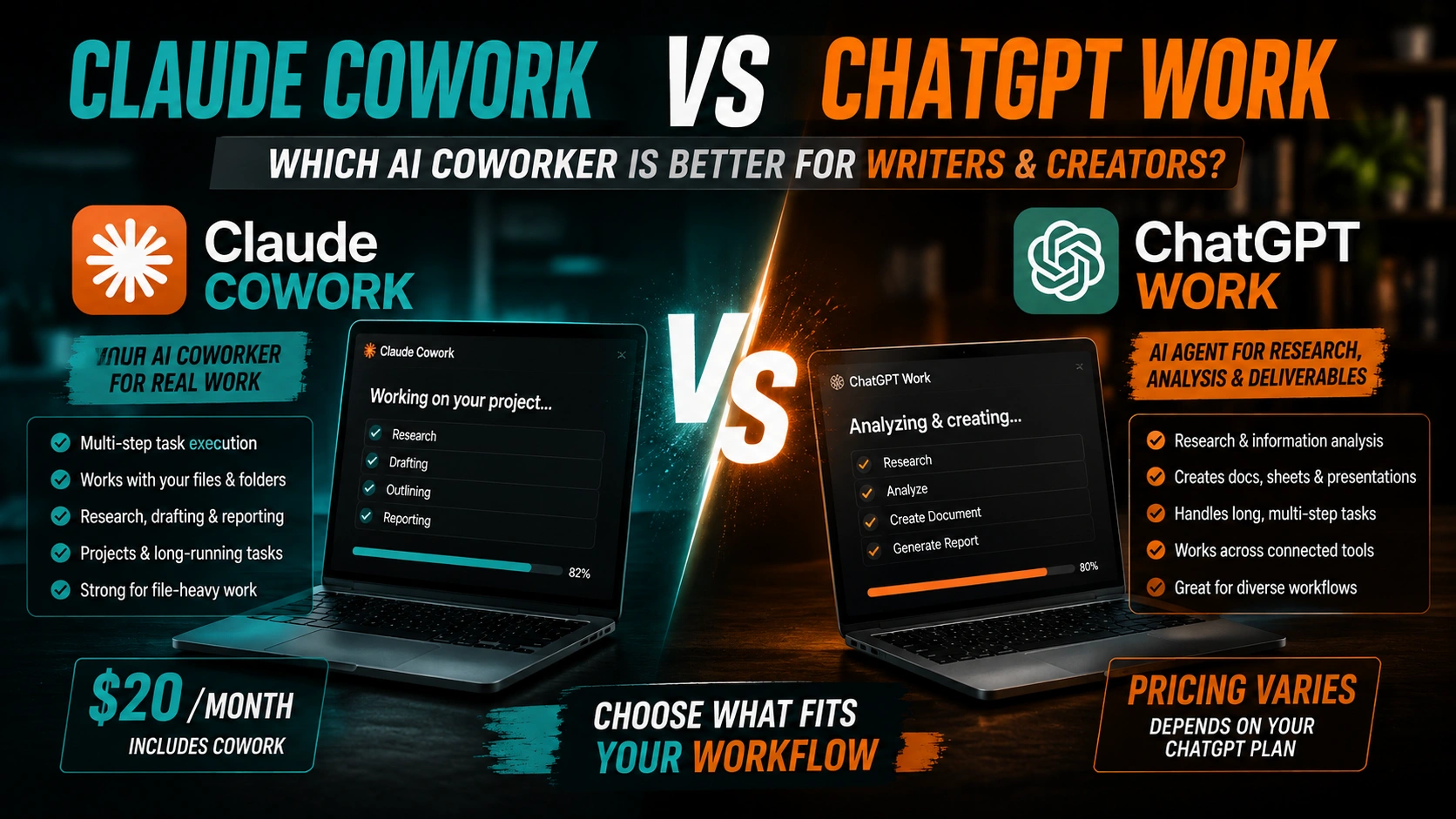
| Feature | Claude Cowork | ChatGPT Work |
| Main Purpose | Multi-step projects, files, or knowledge work | Research, analysis, or finished work |
| Best For | Writers/creators with file-heavy projects | Users needing a broader AI work environment |
| File Work | Selected local folders mein files read, edit aur create kar sakta hai | Files aur supported connected tools ke saath kaam karta hai |
| Research | Multi-step research and reports | Research, analysis, or reports |
| Deliverables | Documents, spreadsheets, or other project files | Documents, spreadsheets, presentations, reports aur Sites |
| Pricing | Pro: $20/month monthly or $17/month equivalent annually; Cowork included. Higher Max plans available. | Work follows the same usage structure as Codex; the exact cost depends on the eligible ChatGPT plan and usage. |
| Best Choice | File-heavy, multi-step creative work | Broader research and productivity workflows |
The practical difference comes down to where your work actually lives. If your process depends on local files and folders, Cowork’s direct file-system access is the more natural fit. If your workflow is spread across dozens of SaaS tools already, ChatGPT Work’s larger connector ecosystem might be the stronger pick. Pricing lands in a similar range on both sides at the entry tier, so this genuinely comes down to workflow fit rather than one being clearly cheaper.
For writing quality specifically, independent head-to-head comparisons have consistently favored Claude on long-form work, tone consistency, and following detailed instructions, exactly the criteria that matter most for the writers and creators this article is written for.
Claude Cowork vs. Free or Cheaper Alternatives
If $20/month feels like a real commitment right now, it’s worth starting with free tools first and upgrading once you’ve felt the actual time savings, rather than the other way around.
Our full breakdown of free AI tools covers exactly this: genuinely usable free options across writing, research, and design, enough to build a real workflow before spending anything at all.
Is Claude Cowork Worth $20/Month in 2026?
Here’s the direct answer, not a hedge.
Who Should Actually Buy It
- Full-time writers, bloggers, and YouTubers produce content regularly enough that hours saved per week translate directly into either more output or more spare time.
- Freelancers are juggling multiple clients, where proposals, research, and reporting are eating time that should be going toward billable work instead.
- Solopreneurs are managing content and operations together, since Cowork’s usefulness compounds when it’s handling more than one category of task.
Who Can Reasonably Skip It (For Now)
- Beginners still experimenting with AI tools generally, who haven’t yet built a workflow that would actually benefit from an autonomous agent versus a simple chat.
- Casual or very light users, writing occasionally rather than as a core part of income or output.
- Anyone with an already-strong AI workflow on another platform they’re genuinely happy with; switching costs real time, and Cowork isn’t different enough to justify that unless something concrete is missing from what you already use.
How to Get Started With Claude Cowork (Step-by-Step)
Signing Up and Choosing a Plan
Head to Anthropic’s official site and select the Pro plan if you’re starting fresh. There’s no separate Cowork signup; it’s included the moment you’re on a paid plan.
Setting Up Your First Workflow
Start small and concrete. Something like “write a blog post outline on [your actual topic], 6 headings, beginner-friendly tone” gives Cowork enough to work with without overwhelming your first attempt at reviewing the result.
Review what comes back carefully. Your first task is as much about learning how Cowork responds to instructions as it is about the output itself.
Tips to Get the Most Out of Claude Cowork
Be specific, not just clear. Vague instructions get vague results; the same rule that applies to every AI tool applies here too. If you want a running library of prompts that already work rather than writing every instruction from scratch, this guide of tested AI prompts adapts well to Cowork’s task-based format.
Provide real examples and style guides. The more context Cowork has about your actual voice, the less editing you’ll do afterward.
Review and edit every output. Treat Cowork’s results as a strong first draft, not a finished product, every time, regardless of how good a given output looks at first glance.
Frequently Asked Questions
Is Claude Cowork a separate paid product? No. It’s included in Claude’s paid plans starting with Pro at $20/month; there’s no standalone Cowork fee.
What’s the difference between Claude Cowork and regular Claude chat? Chat is a back-and-forth conversation. Cowork takes a full task, works through multiple steps autonomously, often in the background, and returns finished work rather than a single reply.
Does Claude Cowork work with my local files? Yes, direct file-system access is one of its core, defining features, unlike some competing agents that operate entirely in the cloud.
Can Claude Cowork generate images? No. It can write briefs and instructions for image generation, but rendering the actual image requires a separate tool.
Is Claude Cowork better than ChatGPT Work? Neither is strictly better. Cowork wins for local-file-based workflows and long-form writing quality; ChatGPT Work wins on connector breadth if your work already spans many separate apps.
How much does Claude Max add over Pro for Cowork specifically? Nothing feature-wise. Max increases usage limits substantially; it doesn’t unlock extra Cowork capabilities beyond what Pro already includes.
Can freelancers realistically use Claude Cowork for client work? Yes, proposals, research summaries, and reports are strong, practical fits for exactly this kind of tool.
Is there a free trial for Claude Cowork specifically? There’s no separate Cowork trial, but you can cancel a Pro subscription within the first billing period if it isn’t working for you.
Does Claude Cowork replace a human editor? No. It significantly speeds up drafting and research, but reviewing and editing the output is still a genuinely necessary step, not an optional one.
What’s the biggest mistake new Cowork users make? Giving it vague, one-line instructions and expecting finished, polished output. Specific tasks with real context consistently produce better results.
Key Takeaways
- Claude Cowork isn’t a separate purchase; it’s included in Claude Pro at $20/month, alongside Claude Code, Design, and Science
- It reached general availability on April 9, 2026, and has expanded steadily since
- It’s strongest for writers, freelancers, and solopreneurs handling multi-step research and drafting work
- ChatGPT Work is the closest direct competitor, better for connector-heavy workflows; Cowork wins for local-file-based work
- The real decision is whether Claude Pro as a whole is worth $20/month for how you actually work, not Cowork in isolation
Final Verdict: Should You Use Claude Cowork in 2026?
For full-time writers, freelancers juggling multiple clients, and solopreneurs handling both content and operations, Claude Cowork is genuinely worth the $20/month, especially once you factor in everything else bundled into the same Pro plan.
If you’re just getting started with AI tools, or only writing occasionally, it’s reasonable to wait, build a workflow on free tools first, and upgrade once you can feel exactly where the time savings would actually show up.
If budget is the sticking point rather than interest, start with free alternatives, build the habit, then treat the $20/month as an upgrade you’re ready for, not a leap of faith.

You May Also Like